
Community
Share your experience!
Turn on suggestions
Auto-suggest helps you quickly narrow down your search results by suggesting possible matches as you type.
Showing results for
- Community
- Xperia
- XPERIA archive
- W995 BlueTooth Problem
Options
- Subscribe to RSS Feed
- Mark Topic as New
- Mark Topic as Read
- Float this Topic for Current User
- Bookmark
- Subscribe
- Mute
- Printer Friendly Page
W995 BlueTooth Problem

Not applicable
- Mark as New
- Bookmark
- Subscribe
- Mute
- Subscribe to RSS Feed
- Highlight
- Report Inappropriate Content
December 2010
December 2010
W995 BlueTooth Problem
Hey all,
I'm facing with a very weird issue on my W995's BlueTooth device.
Whenever I tried to send the photos that I took with my W995 to my laptop (Hp Probook 4510s) I'm getting an Connection Lost error from my phone. It starts to sending but after sometime like %10 of the file this error occurs.
I can send all kind of files from my laptop to my W995 via bluetooth without any problems. And also I can send all big files to my friend's Nokia 5800 Xpress music phone via bluetooth. I can also send small files to my laptop, and very strange but, my friend can send huge files that I can't send, to my laptop via Nokia 5800 Xpress music's bluetooth.
I'm using Windows 7 x 64. How this can be possible to fix? Do I need to make a master reset ==> Reset All and then Memory Card format, and then repair phone and then version update? This will fix my problem? Or is there an easy way to achieve this?
I made reupdate my W995 but, nothing changed. I'm using very latest version of the firmware.
Thanks in advance.
1.png
39 KB
9 REPLIES 9


- Mark as New
- Bookmark
- Subscribe
- Mute
- Subscribe to RSS Feed
- Highlight
- Report Inappropriate Content
December 2010
December 2010
One way around this is to connect your phone to PC suite via Bluetooth using the Bluetooth Serial Port Service Connection (instead of using the Bluetooth File Transfer Service connection, which I assume you are using at the moment??), and then exchange files between phone and laptop using PC suite.
Not applicable
- Mark as New
- Bookmark
- Subscribe
- Mute
- Subscribe to RSS Feed
- Highlight
- Report Inappropriate Content
December 2010
December 2010
Thanks for your answer Chris.
Now, I'm using the newer version of the old PC Suite called Sony Ericsson PC Companion. I connect my W995 to PC Companion by using BlueTooth Connection of my phone. But, when I tried to use File Manager to transfer files, it says me to close BlueTooth and use the USB Connection.
This was a really nice try, but not a fix for this issue. Because other phones can send me same files that my W995 can't send :S Something wrong with my phone i think :S
- Mark as New
- Bookmark
- Subscribe
- Mute
- Subscribe to RSS Feed
- Highlight
- Report Inappropriate Content
December 2010
December 2010
I doubt there's anything wrong with your phone.I'm surprised you could use PC Companion with the W995, as my W995 doesn't connect to it and the SE website actually states that this software isn't actually available for the W995--perhaps it's a new version of PC companion! In any case, PC Companion is not a new version of PC suite, so have you actually tried using the latest version of PC suite (version 6.0) to connect via Bluetooth to your phone?
Alternatively, you could simply try using the Bluetooth File Transfer Service, if you haven't tried this already, as I asked you before.You can also use the Bluetooth Object Push Service to transfer files from PC to phone.
Not applicable
- Mark as New
- Bookmark
- Subscribe
- Mute
- Subscribe to RSS Feed
- Highlight
- Report Inappropriate Content
January 2011
January 2011
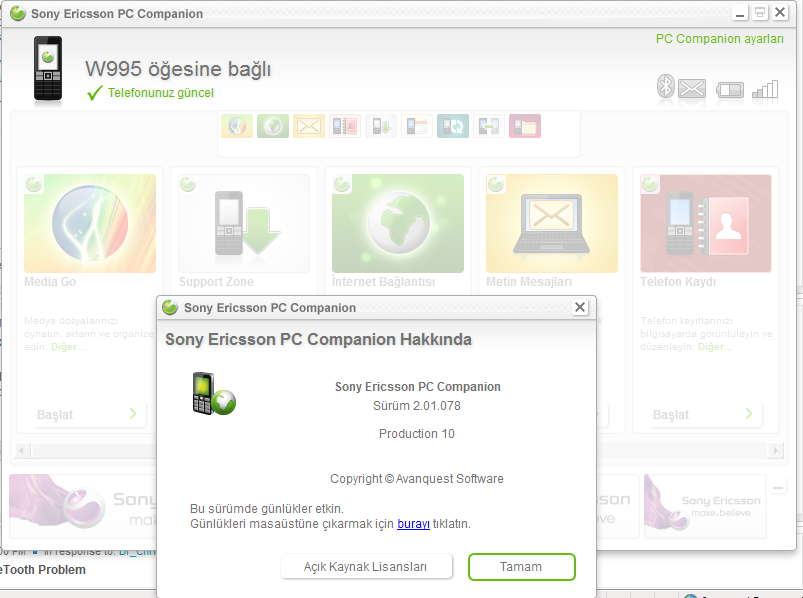
I used to use PC Suite v6.0 but, when I run this application, it made an auto update itself to PC Companion and removed PC Suite from my computer. Try manually update your PC Suite, you'll see a message by SE that they're not going to make improvements on PC Suite anymore so want me to update newer version of it. I can use PC Companion with my W995 now. It can define and know my phone, I can syc my phone with my computer, I can make a connection via bluetooth to my computer by using PC Compamion 2.0.
I really don't know what should be the problem of transfering files bigger than 250 kb :S I can send other devices but not my laptop. This is very strange issue.
Do I need to fromat all my phone? I mean is it a good idea to format memeory card and Master Reset ==> Reset All. And then repair and then version update? Is that the right point of view?
Do you suggest me to make a full format my phone?
PC Companion.png
129 KB
- Mark as New
- Bookmark
- Subscribe
- Mute
- Subscribe to RSS Feed
- Highlight
- Report Inappropriate Content
January 2011
January 2011
I would suggest you first of all try using the different types of Bluetooth connection available between your PC and phone, which I mentioned earlier.
Not applicable
- Mark as New
- Bookmark
- Subscribe
- Mute
- Subscribe to RSS Feed
- Highlight
- Report Inappropriate Content
January 2011
January 2011
Hi Chris,
I've tried to manage this transfer via using other BlueTooth Ports but, nothing changed. Always I'm getting same error. One of my friend is facing same problem with on her own environment. So, this issue is related to W995.
By the way what are the differences between PC Suite Repair and Master Reset ==> Reset All?
And also, which procedure should I use to get best result? First of all Should I use Repari via PC Suite? And then Master Reset ==> Reser All, and lastly version update? And also I would like yo format my memeory card. It's getting frozen sometimes.
Thanks in advance.
Not applicable
- Mark as New
- Bookmark
- Subscribe
- Mute
- Subscribe to RSS Feed
- Highlight
- Report Inappropriate Content
January 2011
January 2011
Any suggestions about how to fully format my phone? Which procedure I should follow for best results?
1) Master Reset ==> Reset All
2) Format Memory Card
3) Repair Phone via PC Companion
4) SEUS update latest software
Is that right?
- Mark as New
- Bookmark
- Subscribe
- Mute
- Subscribe to RSS Feed
- Highlight
- Report Inappropriate Content
January 2011
January 2011
You can try the Reset all option but be aware that with this you will most probably end up losing certain themes, ringtones, etc, that were in the phone when you bought it.You can normally retrieve these lost items however, by re-installing the software via SEUS.Alternatively, you can opt to update or re-install the software via SEUS without resorting to a master reset beforehand. Finally, you can try phone repair via PC suite which is normally the last resort for fixing software problems.Formatting the memory card is a separate issue and is necessary when the memory card malfunctions, keeping in mind that the other troubleshooting options do not affect the memory card itself.
Not applicable
- Mark as New
- Bookmark
- Subscribe
- Mute
- Subscribe to RSS Feed
- Highlight
- Report Inappropriate Content
February 2011
February 2011
Hi,
I've tried all the things about repairing, master resetting the phone but, nothing worked on this issue till I found out "MyPhoneExplorer" software from http://www.fjsoft.at/en/downloads.php.
Now, I can send all the files to my computer from my phone. Why can't Sony Ericsson create a great tool like that? It really rocks.
For your information!

0online
1904443posts